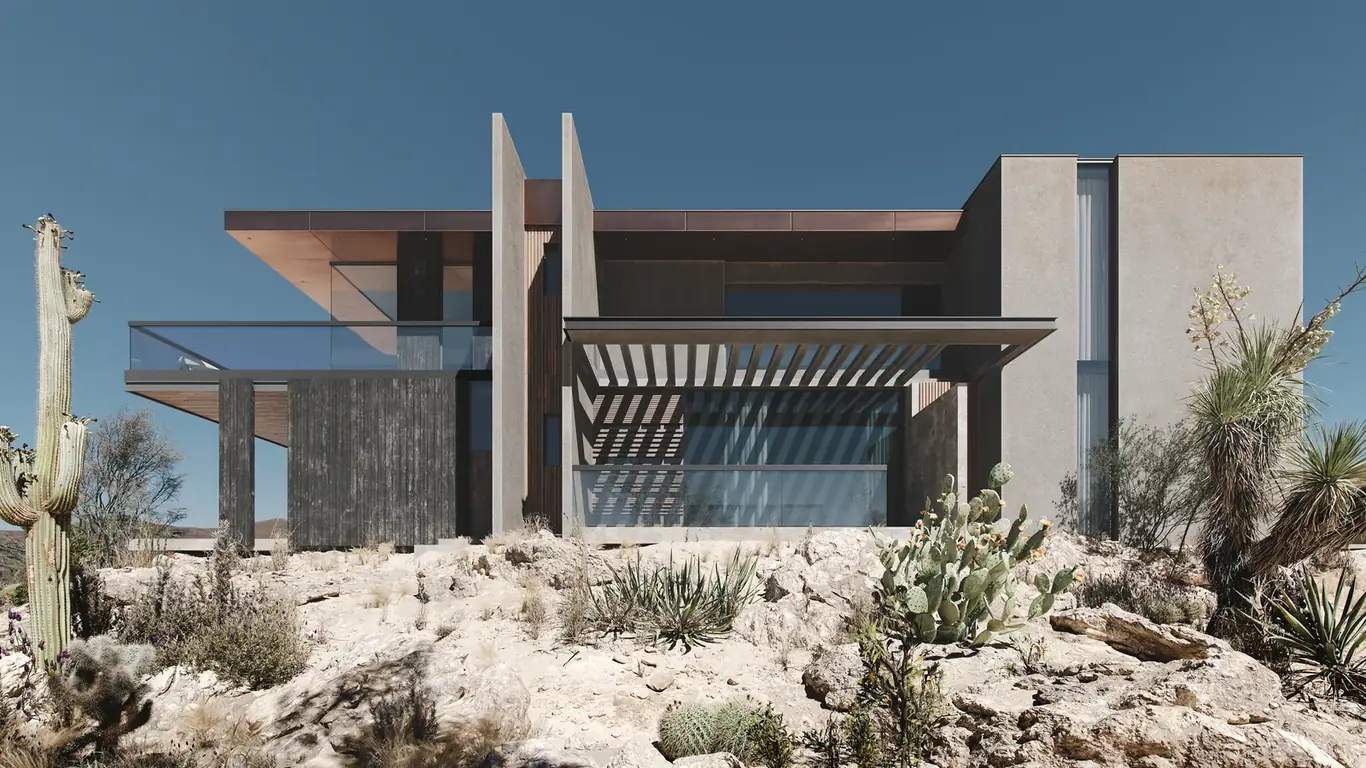
A photorealistic architectural rendering is a computer-generated image of a building or space that's indistinguishable — or nearly indistinguishable — from a photograph of the finished structure. The goal is not to look impressive for a CGI image. The goal is to produce a visual that holds up under scrutiny without the viewer's eye catching evidence of its digital origin.
That standard sounds simple, but achieving it consistently requires getting several independent technical systems right simultaneously. A render can have beautiful lighting and fail on materials. It can have accurate materials and fail on atmosphere and depth. It can get both right and still read as CGI because the scene staging is too clean, too symmetrical, too absent of the imperfections that make photographs feel real.
This guide covers what photorealism in architectural rendering actually requires, the technical pipeline behind it, the software involved, and how to evaluate render quality when looking at a studio's portfolio — before you commit to a project.
What "Photorealistic" Actually Means
Photorealism in architectural rendering has a specific technical meaning: the image simulates how light physically behaves when it interacts with surfaces, the atmosphere, and a camera lens. This is different from making an image that looks nice or is impressive for CGI. The benchmark is whether the image could pass as photography — not whether it looks good by CGI standards.
A truly photorealistic render requires three technical systems to be working correctly simultaneously:
Physically Based Rendering (PBR) materials simulate how real-world surfaces interact with light. A concrete surface scatters light differently than polished aluminum. Glass reflects and refracts. Fabric absorbs light unevenly based on weave and pile direction. PBR materials define the roughness, reflectivity, metallic properties, and subsurface scattering of each surface using parameters that match physical reality rather than approximating it visually. Renders that use non-PBR materials tend to have surfaces that look either too perfect (plastic-smooth, uniform in all directions) or too artificial (reflections that don't respond correctly to lighting changes).
Global illumination simulates how light bounces between surfaces. In reality, light from a window doesn't just illuminate the surfaces it directly strikes — it bounces off the floor and ceiling and illuminates adjacent walls, those walls scatter light back, and the indirect light from all these bounces creates the soft, diffuse quality of a naturally lit interior. Simple renderers that don't calculate global illumination produce images with unnaturally dark shadows and harsh, flat lighting. Global illumination is computationally expensive, which is part of why photorealistic renders take longer to produce than simplified versions.
Accurate atmospheric and lens simulation adds the depth cues and optical imperfections that photographs naturally contain. Atmospheric perspective (the slight blue haze that affects distant objects outdoors), lens depth of field (near and far objects slightly out of focus), chromatic aberration, lens flare at bright light sources, and the grain of a photographic sensor. These effects, when applied with restraint, push a technically correct render from "clearly CGI" to "possibly a photograph." Overuse — especially heavy depth of field blur and exaggerated lens flare — is one of the telltale signs of a render trying to look photographic rather than actually achieving it.
The Photorealistic Rendering Pipeline
3D modeling: The architectural geometry is built from drawings or imported from a BIM model. For photorealistic results, the model needs sufficient geometric detail — chamfered edges, door reveals, window mullion thickness, the slight imperfections of real construction. A model built entirely of perfectly sharp 90-degree intersections reads as CGI because real buildings don't have perfectly sharp edges. Small details matter disproportionately to photorealism.
Material assignment and texturing: PBR materials are applied to every surface — not just a color, but a complete set of parameters: base color, roughness map, metallic value, normal map (for surface micro-detail like wood grain or concrete texture), and specular controls. High-quality material libraries from sources like Quixel Megascans or custom-photographed materials make a significant difference. A concrete wall material built from actual photographic scans of real concrete — with correct color variation, pore detail, and staining — reads very differently from a procedurally generated concrete approximation.
Lighting: Lighting is where photorealistic renders succeed or fail most visibly. For exterior renders, the primary light source is typically a physically accurate sun simulation at a specified geographic location, time of day, and date — ensuring shadows fall correctly and the color of light matches the atmospheric conditions. HDRI (High Dynamic Range Image) environment maps provide realistic ambient sky light and reflections. For interior renders, a combination of sun/sky light through windows and accurately positioned and specified artificial light fixtures creates the mixed-light environments that real spaces have. Poor lighting — flat, uniform, missing the color temperature variation between natural and artificial sources — is the most common reason technically correct renders still look CG.
Camera setup: The virtual camera's field of view, focal length, exposure, and position need to be chosen to match how a real architectural photographer would compose the shot. Wide-angle distortion, perspective correction, and appropriate depth of field settings all contribute to photographic plausibility. A camera that's too high, too centered, or with a focal length no real photographer would use for the subject produces images that don't feel like photographs regardless of how good the materials and lighting are.
Rendering (computing the image): The final image is computed using one of several rendering algorithms. Path tracing (used by V-Ray, Corona, and Arnold) traces the path of individual light rays through the scene, calculating thousands of light bounces for each pixel to produce the physically accurate result. This is computationally intensive — a single high-quality exterior render at 4K resolution may take 30–120 minutes to compute on a dedicated render farm. Faster rendering methods (like real-time rendering in Unreal Engine) trade some accuracy for speed; the quality difference is visible but diminishing as real-time technology improves.
Post-production: The raw render output is processed in compositing software (typically Adobe Photoshop or After Effects, or DaVinci Resolve for video). Color grading, exposure adjustments, contrast, and saturation are refined. Lens effects — slight depth of field, subtle chromatic aberration, lens distortion correction — are added. Entourage elements (people, vehicles, birds, additional planting) may be composited in from stock resources. The post-production pass can take anywhere from 20 minutes to several hours depending on the complexity of the scene and the level of photographic perfection being targeted.
Software Used for Photorealistic Architectural Rendering
The industry standard pipeline uses specialized tools at each stage:
| Stage | Common Tools |
|---|---|
| 3D modeling / BIM | Autodesk Revit, SketchUp, Rhino, ArchiCAD |
| Rendering (scene setup + output) | 3ds Max + V-Ray or Corona, Blender + Cycles/EEVEE |
| Real-time rendering | Unreal Engine, Lumion, Enscape |
| Post-production | Adobe Photoshop, Lightroom, After Effects |
| Material libraries | Quixel Megascans, PolyHaven, custom library |
How to Evaluate Render Quality in a Studio's Portfolio
When assessing a studio's portfolio before commissioning, look at these specific elements — not just overall visual impression:
Material behavior in highlights and shadows: Look at surfaces where direct light transitions to shadow. Does concrete show the characteristic color shift from warm direct light to cool shadow? Do metal surfaces reflect their environment or just reflect a neutral grey? Are wood grains visible and directional? Poor material work shows up most clearly in the transition zones between lit and unlit surfaces.
Light leakage and shadow quality: Interior renders should show soft, blended shadows from natural light sources. Hard, sharp shadow edges indoors indicate simplified lighting without global illumination. Look for the color cast of light — warm sunlight should leave warm-tinted highlights; cool sky light should fill shadows with a slightly blue tone. Renders where all light has the same color temperature were likely produced with simplified lighting.
Atmosphere and depth: Exterior renders should show atmospheric perspective — slight desaturation and blue shift in distant elements. The ground plane should show subtle imperfections. Trees and planting should have irregular silhouettes. A render where everything is equally sharp, saturated, and detailed from foreground to background has had post-production shortcuts taken.
Camera position and lens choice: Would a real architectural photographer choose this position and lens? Cameras that are perfectly centered on a facade, at exactly the height of the building's midpoint, with a perfectly symmetrical composition look unnatural because photographers don't actually shoot that way. Good render art direction includes deliberate compositional choices that give the image a photographic feel.
For more on choosing a studio based on portfolio quality, see our guide on how to choose a 3D rendering studio. For context on how photorealistic rendering compares to AI-generated imagery, see our article on 3D rendering vs. AI-generated images. Our exterior rendering and interior rendering services are produced using the full photorealistic pipeline described here.
Ready for Photorealistic Renders?
Share your drawings and project brief — we'll provide a scoped estimate with pricing within 2 hours.
Request a Free Estimate