
Most project friction with a 3D rendering studio doesn't come from technical failures. It comes from misaligned expectations — about what stages exist, what happens at each one, what feedback is supposed to accomplish, and what changes the agreed scope actually covers. When both sides understand the process the same way before work starts, projects run predictably. When they don't, the same work produces avoidable delays, revision spirals, and frustration on both ends.
Here is exactly how a professional rendering project works, from first contact to final file delivery. I've also included a framework for understanding the three places where most projects go off track — and what you can do about each one.
Stage 1: the brief and estimate
The process starts when you submit your project files and describe what you need. A well-run studio asks for everything relevant upfront: architectural drawings or 3D model files, material specifications, camera positions or reference compositions, lighting preferences, intended output resolution, and your deadline. The completeness of what you send directly determines the accuracy of the estimate and how quickly work can begin.
Based on your submission, the studio produces a scope and estimate. The estimate should be specific — number of views, number of included revision rounds, first draft timeline, and delivery format. Vague estimates ("starting from X") are a warning sign; pricing uncertainty usually gets transferred to you later as additional charges. Our studio turns around free, itemized estimates within 2 hours.
If anything in the brief is unclear, a professional studio asks targeted questions before modeling begins rather than making interpretive decisions they'll have to correct later. A brief that surfaces three clarifying questions upfront prevents a dozen revision requests downstream. If a studio starts without asking about obvious ambiguities, they are guessing — and the cost of those guesses falls on your revision budget.
Stage 2: 3D modeling
Before any render can be produced, the 3D environment must be built. This means constructing building geometry, assembling the site and surrounding context, and beginning to block in materials and lighting. How long this takes depends almost entirely on what you provide. For a detailed breakdown of each production stage and how modeling time affects the overall schedule, see our article on how the rendering process works.
If you supply a well-organized Revit or SketchUp model, the studio imports your geometry and focuses on materials, camera setup, lighting, and environment. If you supply only 2D drawings, the studio builds the full 3D model from scratch — which typically adds two to four business days to the first draft timeline and increases cost proportionally.
During modeling the studio will often send clarification questions about dimensions, material intentions, or design elements that weren't fully resolved in the drawings. Responding quickly at this stage is the single most effective thing you can do to protect your timeline. A question that goes unanswered for two days stalls the project for those two days. A same-day response keeps the studio working without interruption.
Stage 3: the first draft
The first draft is the most important milestone in the project. It shows the scene setup, camera angles, lighting direction, and material tone — typically at a reduced resolution and without full post-production polish. Its purpose is to get your approval on the fundamentals before the studio commits significant render time to the final image at full quality.
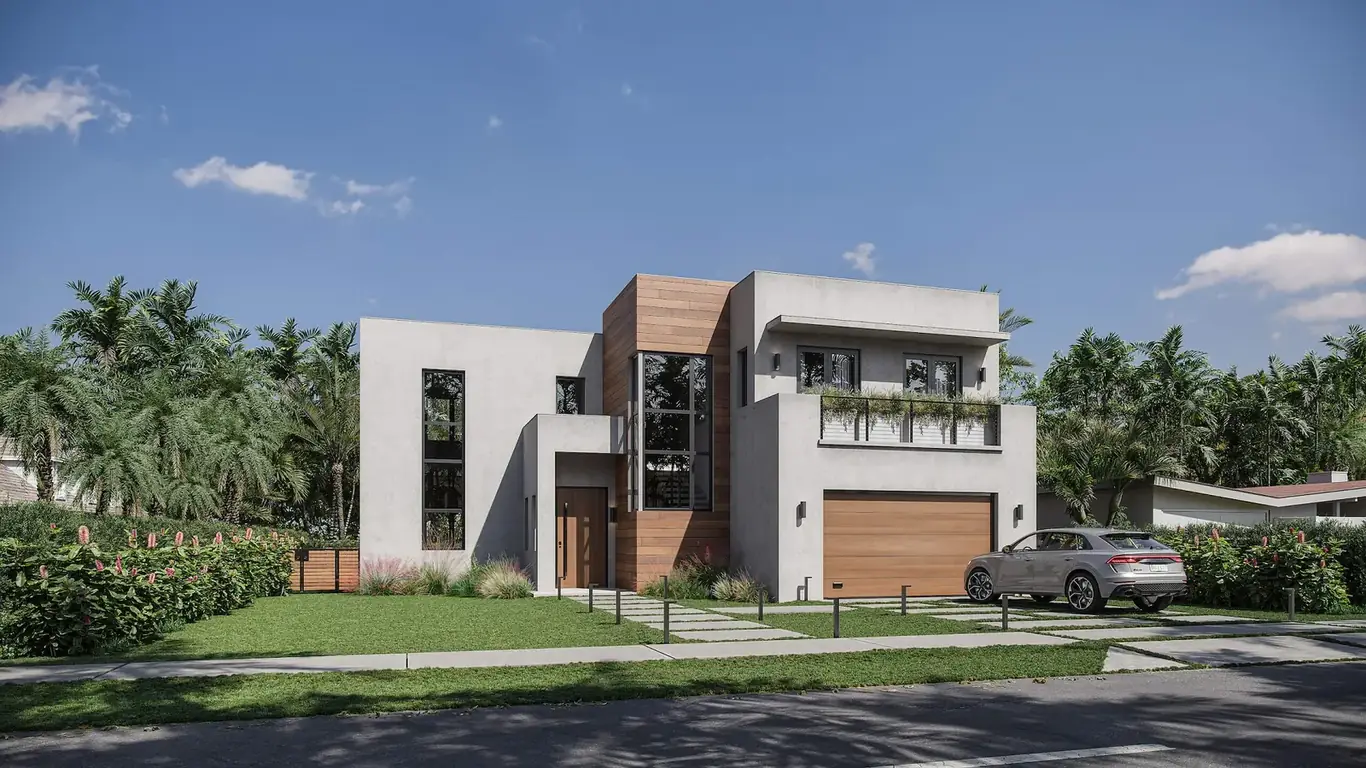
At the first draft, you should evaluate five things specifically:
- Camera angle and composition — is this the view you asked for? Does the crop work?
- Lighting direction and time of day — does the light quality match the brief?
- Material tone in context — do the materials read correctly at this scale in this light?
- Spatial accuracy — does the space match the design intent? Any geometry errors?
- Entourage — are the furniture choices, people, and landscaping appropriate?
The first draft is the most cost-efficient point to request significant changes. Camera repositioning, major material changes, and lighting direction revisions are far less expensive to address here than after a full-quality final render has been produced. Be thorough with first-draft feedback — and consolidate all comments into a single response rather than sending notes in separate emails over several days. Every round of feedback that goes out in fragments costs you a partial revision round.
Some studios also offer a clay render or grayscale preview prior to the first draft. This is a pre-lit, untextured version of the scene that lets you confirm geometry accuracy and camera composition before materials are applied. If your project has complex geometry or you have a specific composition in mind, asking for a clay preview at the start of modeling is worth it — it catches spatial errors at the cheapest possible stage.
Stage 4: revisions
After first-draft feedback, the studio works through the revision list. Most professional studios include two rounds in the base scope — a first draft review and a revision review — which is sufficient for the large majority of projects when the initial brief was specific. Projects with multiple stakeholders who review at different points, or projects where the brief was ambiguous, often need additional rounds.
Revisions at this stage move faster than the initial draft because the foundation is already in place. A camera adjustment, material swap, or entourage change typically takes one to two business days. More significant changes — geometry rebuilds, complete lighting overhauls, fundamental camera repositioning — take longer and may involve additional charges if they go beyond what the original brief defined.
The most common revision pattern that turns a two-round project into a six-round project is fragmented feedback. When each stakeholder sends notes separately, or when new comments arrive after the studio has already addressed the previous batch, the project enters what practitioners call the revision vortex — each "one small tweak" triggering a re-render, which triggers another round of notes. The fix is to consolidate all stakeholder feedback into a single document before sending it. If your organization has multiple reviewers, designate one person as the point of contact who aggregates notes before they go to the studio.
Stage 5: final render and delivery
Once revisions are approved, the studio produces the final render at full quality settings — a computationally intensive process that can take several hours per image depending on scene complexity and output resolution. Final renders are typically delivered at 3,000 to 5,000 pixels wide minimum for most print and marketing uses.
Standard delivery formats and when each applies:
| Format | Best for | Notes |
|---|---|---|
| JPEG | Web, digital presentations, email, listing platforms | Compressed but sufficient for most marketing uses |
| PNG | Compositing, further editing, transparent backgrounds | Lossless; larger file size than JPEG |
| TIFF | Large-format print, billboard, signage | Maximum quality; file size can be 50–200 MB per image |
| PSD (layered) | When client will do own color grading or compositing | Requires Photoshop; highest flexibility for post-production |
Confirm delivery format in the brief, not on delivery day. Switching formats after the final render is usually straightforward, but confirming upfront eliminates it as a last-minute friction point. If you need multiple formats for different uses — say, JPEG for digital and TIFF for print — note that in the brief as well.
Realistic timelines by project type
Timeline depends on project complexity, the number of views, and whether you provide a 3D model or drawings only. These are realistic ranges for typical project types when brief materials are complete and client response times are prompt:
| Project type | First draft | Finals after approval |
|---|---|---|
| Simple residential exterior, 2–3 views, from 3D model | 3–4 business days | 1–2 business days |
| Interior render package, 4–6 views, residential | 4–7 business days | 2–3 business days |
| Complex commercial exterior, detailed context, 5+ views | 7–10 business days | 3–5 business days |
| Full development package (exterior, interior, aerial, floor plans) | 3–5 weeks | Depends on revision cycles |
Rush delivery is available on most project types, typically at a 25–50% premium. If you have a hard deadline, state it in the first contact — not after work has started. A studio that can hit your date will confirm it upfront; one that can't will tell you so you can plan accordingly.
The three risk zones that delay most projects
After working through many projects, the delays almost always trace back to one of three gaps. Understanding them before your project starts is the most reliable way to keep it on schedule.
The brief gap. The brief you submit is missing key information — material specifications, camera positions, lighting references, or output requirements. The studio has to stop and ask clarifying questions at each discovery. Every unanswered question pauses progress; every answered question in the brief eliminates that pause. A thorough brief upfront doesn't just speed up modeling — it produces a more accurate first draft, which means fewer revision rounds needed. For a detailed checklist of everything to include, see our guide on how to brief a rendering studio.
The feedback gap. First-draft feedback arrives slowly, in fragments, or with conflicting notes from multiple reviewers. Each delay in review directly extends the project calendar. When feedback arrives from five different stakeholders at different times, the studio has to interpret conflicts and re-render multiple times. The fix is simple: consolidate all notes into one document before they go to the studio, and submit them through a single point of contact. Projects with a designated reviewer who owns the feedback process consistently finish two to three rounds faster than projects where stakeholder notes flow in individually.
The scope gap. A significant design change occurs after modeling has begun — a facade material changes substantially, a floor is added, the site context shifts. If the studio is informed immediately, changes made before the first draft may be absorbed into the existing scope. Changes that arrive after the first draft has been approved, or that are substantially different from what the brief described, typically trigger scope adjustments. Communicating design changes as soon as they occur — not saving them for the revision round — minimizes their impact on both timeline and cost.
What's in scope and what triggers extra charges
Understanding the scope boundary before you start prevents surprises on delivery. Here's how professional studios typically draw the line:
| Change type | Typically in scope | Typically extra charge |
|---|---|---|
| Material color / finish adjustment | Yes, within revision rounds | Only if rounds are exhausted |
| Camera angle refinement (same general position) | Yes | No |
| Lighting time-of-day change (day → twilight) | Depends — often a new deliverable | Sometimes, as an additional view |
| Adding a new camera angle not in the original brief | No | Yes — new view, new cost |
| Entourage swap (furniture, people, landscaping) | Yes, within reason | Only if it requires sourcing custom assets |
| Geometry change (floor plan update, facade revision) | Only if minor and caught early | Yes, if modeling work must be redone |
| Adding post-production effects (sky replacement, color grade) | Basic adjustments typically included | Yes, for significant compositing work |
The cleanest way to manage scope is to ask your studio explicitly at the estimate stage: what specifically is covered in the revision rounds, and what constitutes an out-of-scope change? A studio that can answer this clearly is one that has thought through its project model. If the answer is vague, price uncertainty is likely to follow.
To see the quality level that this process produces, browse our project portfolio. For pricing across different project scales, see our pricing page. For a full breakdown of what to include in your brief, see our guide on briefing a rendering studio.
Ready to start your rendering project?
Send us your files and project details — we'll have a free, itemized estimate back to you within 2 hours.
Request a free estimate