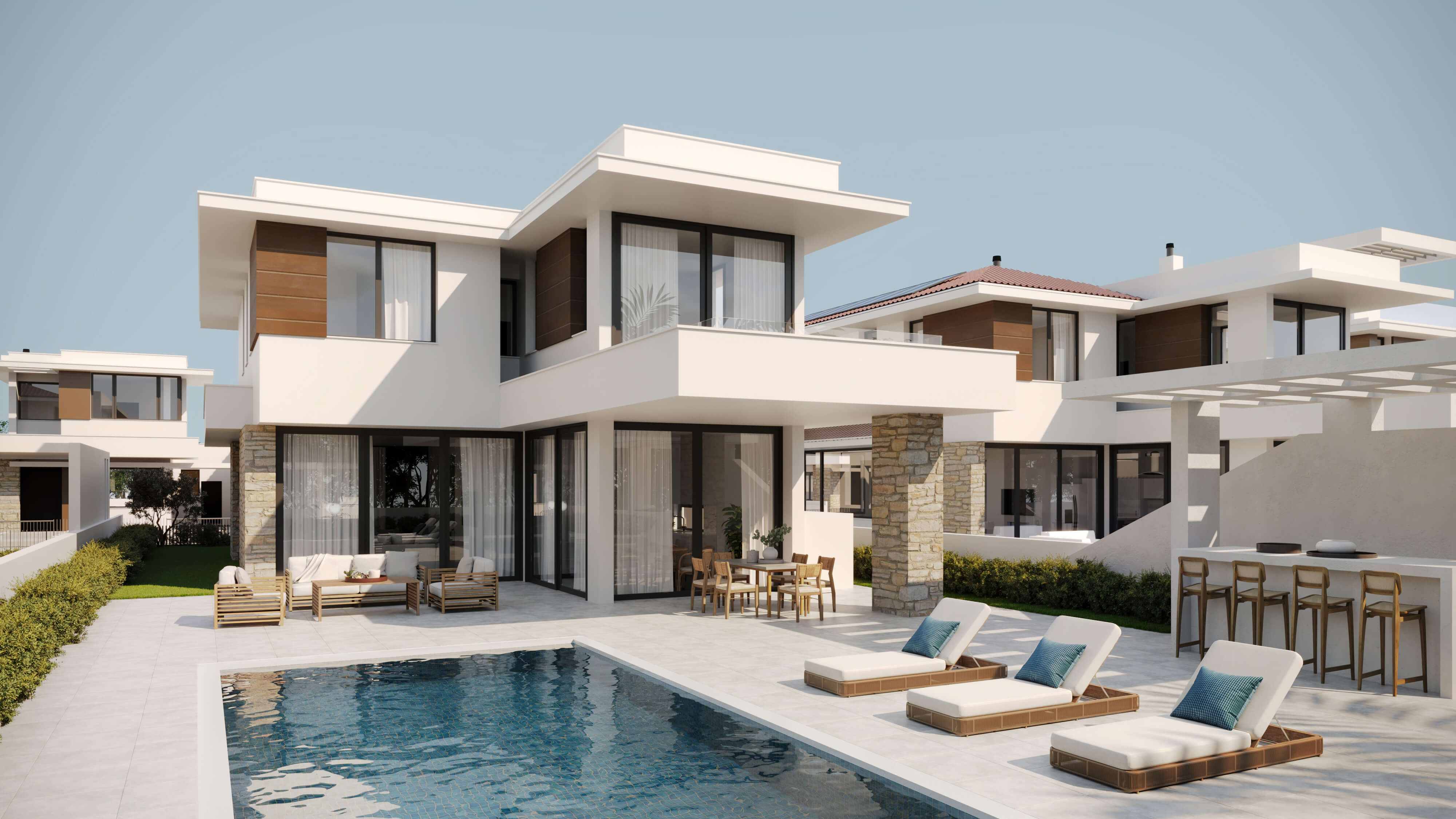
Build-to-rent is now a core source of new rental supply, and it has a marketing problem that for-sale development doesn't. A condo developer sells a finished unit to one buyer and is done. A build-to-rent operator has to fill an entire community with renters, keep it full for years, and do it fast enough to satisfy the capital that financed the project. That makes visualization less of a marketing nicety and more of an operating tool — the asset starts earning the day the first lease signs, and renders are what let leasing begin before the buildings are finished.
The scale behind this is large. Builders completed roughly 467,000 multifamily units nationally last year, and investment vehicles accumulated about $174 billion for U.S. multifamily deals on a two-year rolling basis through early 2026 — the most of any asset class. With renters now driving the majority of U.S. household growth, purpose-built rental communities are absorbing that demand. The competitive pressure is just as real: a new lease-up can take 12 to 18 months to stabilize, and every month of empty units is income the asset never recovers. This guide covers how renders shorten that window, what to render for a build-to-rent community, and where the images do their work.
Why build-to-rent changes the rendering brief
The instinct is to treat build-to-rent like condo pre-sales with a different price tag. It isn't, and briefing it that way produces renders that miss. A for-sale render persuades one buyer to commit to owning one unit. A build-to-rent render has to sell a way of living to hundreds of renters who are choosing a community, not buying an asset — and it has to keep doing that for years as units turn over.
That shifts what the images need to show. Renters comparing communities care less about a single unit's finishes and more about what daily life feels like there: the amenity deck, the courtyard, the co-working lounge, the dog run, the pool, the walk from parking to the front door. The render brief for build-to-rent leans heavily on exterior and amenity views that communicate lifestyle and community, with representative unit interiors that signal quality without pretending every unit is identical.
There's also an audience the for-sale world rarely has to serve at the same time: institutional capital. Build-to-rent is heavily backed by funds and operators who underwrite a community as an income stream, and they evaluate the same renders that lease the units. A single visual package has to work for renters scrolling a listing site and for an investment committee underwriting a hold. Designing the brief around both audiences from the start avoids re-commissioning views later.
The economics: why renders pay for themselves in lease-up speed
The strongest argument for early visualization in build-to-rent is financial, and it comes down to the cost of an empty unit. A community that takes twelve to eighteen months to stabilize is carrying vacancy the entire time — units that are built, financed, and producing nothing. Anything that compresses that lease-up window converts directly into income and, because rental assets are valued on net operating income, into asset value.
Renders compress the window by letting leasing start before completion. Instead of waiting for a finished model unit to photograph, an operator can launch a pre-leasing campaign months ahead with photorealistic exteriors, amenity views, and model-unit interiors, building a waitlist that converts to signed leases the day doors open. The marketing data behind this is consistent: listings with 3D tours draw roughly 37% more views, interactive tours and video can generate up to 4× more inquiries than photos alone, and around 83% of renters expect to see photos or video before committing to a property.
Run the math on a single asset and the case makes itself. If a render package costs a fraction of one month's rent roll and helps a community reach stabilization even a few weeks earlier, the visualization has already paid for itself in recovered income — before counting the premium positioning that makes the property feel worth its rents. For build-to-rent, renders are best understood as a pre-development soft cost that protects the lease-up schedule, not a marketing line that competes with it. Our breakdown of how many renders your project needs and our pricing page show how to scope that investment against the asset.
What to render for a build-to-rent community
A build-to-rent community needs a broader visual package than a single property, because it has to serve capital, entitlements, leasing, and operations in sequence. The table below maps the renders to the stage and audience they serve, so the package is scoped to the work it has to do rather than ordered as a generic bundle.
| Stage / audience | Primary renders | What they do |
|---|---|---|
| Capital raise / investors | Aerial or site view, hero exterior, key amenity | Communicate scale, asset quality, and the experience the income stream is built on |
| Entitlement / planning | Site plan, streetscape, building elevations | Demonstrate massing, context, and objective-standard compliance to planning staff |
| Pre-leasing marketing | Exterior, amenity spaces, 2–3 model-unit interiors, 3D floor plans, a 360° tour | Lease unbuilt units and build a waitlist before completion |
| Leasing office / signage | Large-format exterior and amenity hero views | Convert walk-ins and drive-bys on site during construction |
| Stabilized operations | Updated unit and amenity views, virtual tour | Reduce friction on turnover and keep occupancy high |
The non-negotiables for pre-leasing are an exterior that establishes the community's character, at least one or two amenity views, and a small set of representative unit interiors covering the main floor plans on offer. Add a 3D floor plan for each unit type — renters lease a layout as much as a look — and an aerial or site view that shows how the community sits together. From there, an animation or 360° tour is the upgrade that lifts inquiry rates most.
Horizontal build-to-rent vs vertical multifamily
Build-to-rent isn't one building type, and the two dominant forms need different visuals. Horizontal build-to-rent — detached or attached single-family homes and townhomes operated as one rental community — sells the feel of a neighborhood. Vertical multifamily — mid- and high-rise apartments — sells a building and its shared amenities. The render package shifts accordingly.
For horizontal communities, the aerial or site view does disproportionate work: it's the only image that shows the community as a whole — the street layout, the spacing between homes, the shared green space, the relationship to parking and amenities. Pair it with ground-level streetscape views that capture the residential feel renters are paying a premium for, since a major draw of horizontal build-to-rent is single-family living without ownership. Individual home exteriors and a couple of interiors round out the set.
For vertical multifamily, the weight shifts to the amenity stack and the building's presence on the street. Rooftop decks, lobbies, fitness centers, and co-working lounges are the differentiators renters compare across competing towers, so they earn dedicated views. A streetscape exterior establishes the building, and model-unit interiors show the living spaces. The same logic that drives our apartment complex rendering work applies, with the leasing-first framing build-to-rent demands.
Marketing the lease-up: where the renders go
Build-to-rent renders earn their cost only if they reach renters everywhere a renter looks, which today means a long list of channels working together. A render that lives only in an investor deck never leases a unit. The same image library has to populate the property website, the internet listing services renters search, paid social, and the on-site signage that markets the community while it's still a construction site.
The pre-leasing sequence usually starts with a website and a waitlist landing page that collects interested renters before there's anything to tour. Photorealistic exteriors and amenity views anchor that page; 3D floor plans and unit interiors let prospects self-select the layout they want; a 360° tour or animation gives the immersive experience that lifts inquiries. As completion nears, those same assets carry the email campaign that turns the waitlist into signed leases on opening day.
On-site, large-format renders on the construction fence and in a temporary leasing office do something photography can't: they show drive-by traffic the finished community months before it exists. For build-to-rent specifically, where the product is the whole community rather than one unit, the amenity and aerial views are what make a fenced-off construction site read as a place someone would want to live. For the broader channel strategy, see our guide to 3D rendering for real estate marketing.
Renders for investors and capital partners
Build-to-rent runs on institutional capital, and that capital evaluates projects partly on visuals. With roughly $174 billion accumulated for U.S. multifamily deals on a rolling basis through early 2026, build-to-rent competes for allocation against every other asset class — and the pitch for a ground-up community is, by definition, a pitch for something that doesn't exist yet. Renders are how a sponsor makes an unbuilt income stream legible to an investment committee.
The investor set overlaps with the leasing set but emphasizes different views. An aerial or site rendering communicates the scale and density of the opportunity; a hero exterior conveys the asset quality and market positioning that justify the projected rents; amenity views show the experience underwriting those rents. These are the same renders that will later lease the community, which is the efficiency argument for commissioning them early: one package serves the capital raise, the entitlement set, and the lease-up, rather than three separate efforts. Our guide to 3D rendering for developers covers that stage-by-stage logic in depth.
When to commission renders on a build-to-rent timeline
The scheduling principle for build-to-rent is to work backward from lease-up, not forward from groundbreaking. Because pre-leasing should start months before completion, and because the same renders support the capital raise and entitlements even earlier, visualization belongs near the front of the development timeline rather than the marketing tail end.
- At capital raise: commission the aerial or site view, a hero exterior, and one or two amenity views to support the investment narrative and underwriting.
- During entitlements: add site plan, streetscape, and elevation views that demonstrate objective-standard compliance to planning staff.
- 6–9 months before completion: commission the full pre-leasing set — exterior, amenity spaces, model-unit interiors, 3D floor plans, and a 360° tour — in time to launch the website and waitlist.
- Before the leasing office opens: produce large-format exterior and amenity renders for signage and the on-site display.
- Through stabilization and turnover: refresh unit and amenity views and keep a virtual tour live to reduce vacancy friction on every future lease.
Sequencing the package this way keeps spend aligned with milestones and ensures the marketing assets exist when the lease-up clock starts — which is the moment they begin protecting income. For help sizing the package to a specific community, our team scopes a view list against your delivery and lease-up dates.
Planning a build-to-rent or multifamily lease-up?
Send us your site plan and unit mix — we'll scope a rendering package aligned to your lease-up timeline and send a free estimate within 2 hours.
Request a Free Estimate