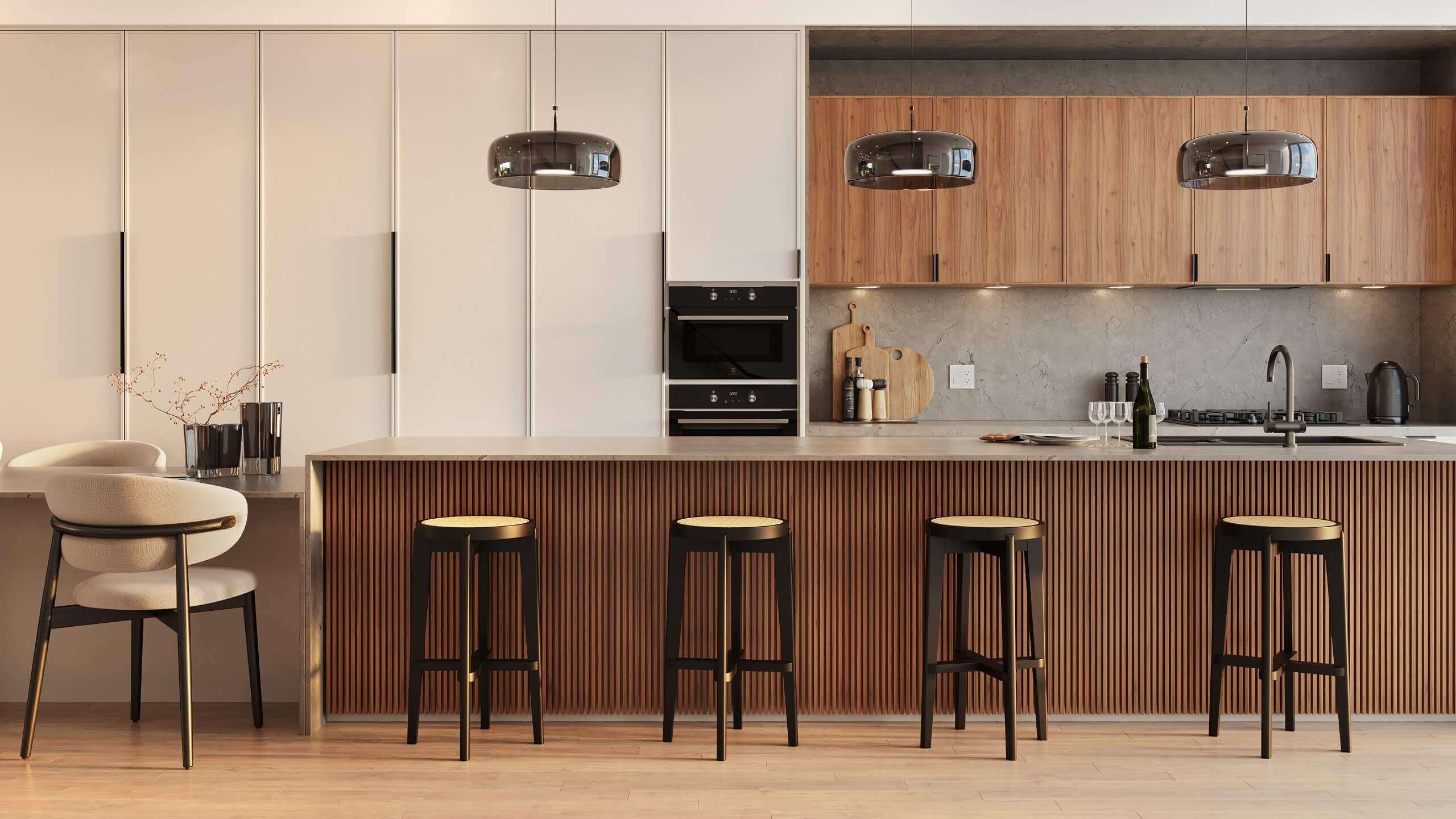
A 360 virtual tour lets a prospective buyer, investor, or planning board member stand inside a building that hasn't been built yet and look in any direction. Unlike a static render — which shows one carefully composed view — or an animation — which moves the camera on a fixed path — a 360 tour gives the viewer control. They choose where to look, what to explore, and how long to spend in each space.
That interactivity changes the dynamic of a presentation. In my experience, clients who explore a 360 tour of an unbuilt project ask fewer questions about what the space will feel like and more questions about logistics — pricing, timelines, next steps. The psychological shift from passive viewer to active explorer is real, and it matters for pre-sales, investor meetings, and planning presentations where buy-in depends on emotional connection as much as technical accuracy.
This guide explains what 360 rendering is, how it's produced, the key format differences, what it costs, and how to decide whether you need it for your project.
What Is a 360 Virtual Tour Rendering?
A 360 virtual tour rendering is a series of spherical panoramic images — each covering a full 360° horizontal and 180° vertical field of view — connected through interactive navigation to create a self-guided tour of a space. Each panorama is a single rendered image in equirectangular format (a 2:1 aspect ratio) that wraps around the viewer when displayed in a browser or VR headset.
The key distinction from conventional renders is the camera coverage. In a standard 3D render, the studio controls exactly what the viewer sees and optimizes the composition accordingly. In a 360 render, every direction must look correct simultaneously — ceiling, floor, behind the camera, everything. There is no "off-screen." This makes 360 renders technically more demanding to light and stage than standard views of the same space.
Multiple panoramas can be linked through hotspot navigation — clickable areas overlaid on the image that move the viewer to an adjacent viewpoint. A tour of a three-bedroom apartment might have six to eight panoramas: entry, living area, kitchen, primary bedroom, secondary bedroom, bathroom, and an outdoor terrace. The viewer clicks through them in any order, exploring the space at their own pace.
The Two Main Formats: Linked Panoramas vs. Real-Time VR
Not all 360 tours are built the same way. The two main formats differ significantly in interactivity, production cost, and viewing experience.
Linked panorama tours are the most common format. The studio produces a set of high-quality 360 renders, uploads them to a hosting platform (Kuula, Matterport, or a custom web embed), and connects them through hotspot navigation. Viewers access the tour in a standard browser on any device — desktop, mobile, or tablet. No special software is needed. This format is used for pre-sales websites, investor decks, and planning presentations. It's the practical choice for most architectural applications.
Real-time VR tours are built in a game engine (typically Unreal Engine or Unity) and allow free movement through a continuous 3D environment rather than discrete panorama viewpoints. The viewer can walk anywhere in the space, interact with elements, and experience the environment with genuine depth and parallax. This format requires a VR headset for the full effect, though it can also run in a browser at reduced quality. Real-time VR tours are significantly more expensive to produce and are most appropriate for luxury residential pre-sales, high-investment investor presentations, or architectural competition submissions where immersion is a primary selling point.
For most commercial and multifamily projects, linked panorama tours deliver the immersive experience clients need at a fraction of the cost of full VR development.
How 360 Tour Rendering Is Produced
The production process builds on the same 3D modeling workflow used for standard architectural rendering, with specific requirements for panoramic output.
Camera placement planning: Before rendering begins, the studio and client agree on the panorama positions — which rooms, which viewpoints within each room, what the tour sequence will be. Camera height is typically 1.5–1.6 meters (eye level), though some spaces benefit from a slightly elevated position to show more of a complex interior. Each camera position becomes a separate render, so this decision directly affects scope and cost.
3D modeling and scene setup: The architectural spaces are modeled, furnished, and lit. Lighting for 360 renders is more demanding than for standard views because the full lighting environment must be consistent in all directions — no convenient shadows to hide imperfect geometry or staging choices. Every surface the viewer might look toward needs to be fully modeled and textured.
Rendering: Each panorama is rendered at high resolution — typically 8,000 × 4,000 pixels or higher for quality tours, 4,000 × 2,000 for standard web delivery. Rendering a single high-quality 360 panorama takes longer per output than a standard render because the equirectangular projection requires more scene calculation to maintain consistent sharpness across all viewing angles.
Post-processing and tour assembly: Rendered panoramas are color-graded and post-processed, then uploaded to the tour platform. Hotspot navigation is configured — arrow overlays, room labels, interactive floor plan integration if required. The tour is embedded in a web page or delivered as a standalone link for sharing in presentations or emails.
Pricing for 360 Virtual Tour Rendering
360 tour pricing depends on the number of panorama viewpoints, interior complexity, and whether the tour includes interactive elements like floor plan navigation or material configurators.
| Format | Viewpoints | Price Range | Delivery |
|---|---|---|---|
| Single 360 panorama | 1 viewpoint | $500–$1,200 | 3–5 days |
| Small linked tour (unit / apartment) | 4–6 viewpoints | $1,800–$4,000 | 7–10 days |
| Full building tour | 8–15 viewpoints | $4,000–$10,000 | 2–3 weeks |
| Real-time VR tour (Unreal Engine) | Full freedom | $15,000–$50,000+ | 4–8 weeks |
Tours commissioned alongside a standard rendering package — where the 3D model is already being built for static renders — cost significantly less because the modeling work is shared. If your project already has a full interior rendering brief, adding a 360 tour of the same spaces can often be done at 50–70% of the standalone 360 cost. For a full scope and pricing estimate, visit our rendering pricing page.
360 Tours vs. Animation: Which to Choose?
Both 360 tours and architectural animations serve pre-construction visualization, but they work differently and suit different presentation contexts.
360 tours are better when: You want the viewer to explore at their own pace and spend time in the spaces that matter most to them. Pre-sales websites, property listing platforms, and email campaigns to prospective buyers benefit from interactive content that rewards exploration. For buyers evaluating a floor plan, a linked panorama tour of each room type answers questions that a 60-second animation moving through the building at a predetermined pace can't.
Animation is better when: You're presenting to a live audience — an investor meeting, a planning board, a developer day — where a guided experience delivers more impact than self-navigation. A well-directed animation with music and voiceover tells a story; a 360 tour requires the viewer to do the work of discovery. For boardroom presentations and social media content, animation generally performs better.
Many projects benefit from both. A typical luxury residential pre-sales campaign might use a 90-second animation as the hero video on the project website, with a linked 360 tour embedded below for buyers who want to explore specific unit types in detail.
What to Provide for a 360 Tour Brief
The brief requirements for a 360 tour are similar to those for standard interior rendering, with a few additions:
- Floor plans with dimensions for each space being toured
- Interior finish schedules — flooring, wall treatments, countertops, fixtures
- Furniture and furnishing intent — style references, or specific FF&E specifications
- List of panorama viewpoints — which rooms, how many positions per room
- Tour navigation preferences — should the tour have an interactive floor plan? Room labels? Auto-rotation?
- Delivery format — hosted tour link, embeddable iframe, or standalone web files
For guidance on assembling a complete brief, see our article on how to brief a rendering studio. For more on what to expect from the production process, see what to expect from a rendering studio.
Ready to Create a 360 Virtual Tour?
Send us your floor plans and finish specifications — we'll scope a linked panorama tour with pricing within 2 hours.
Request a Free Estimate