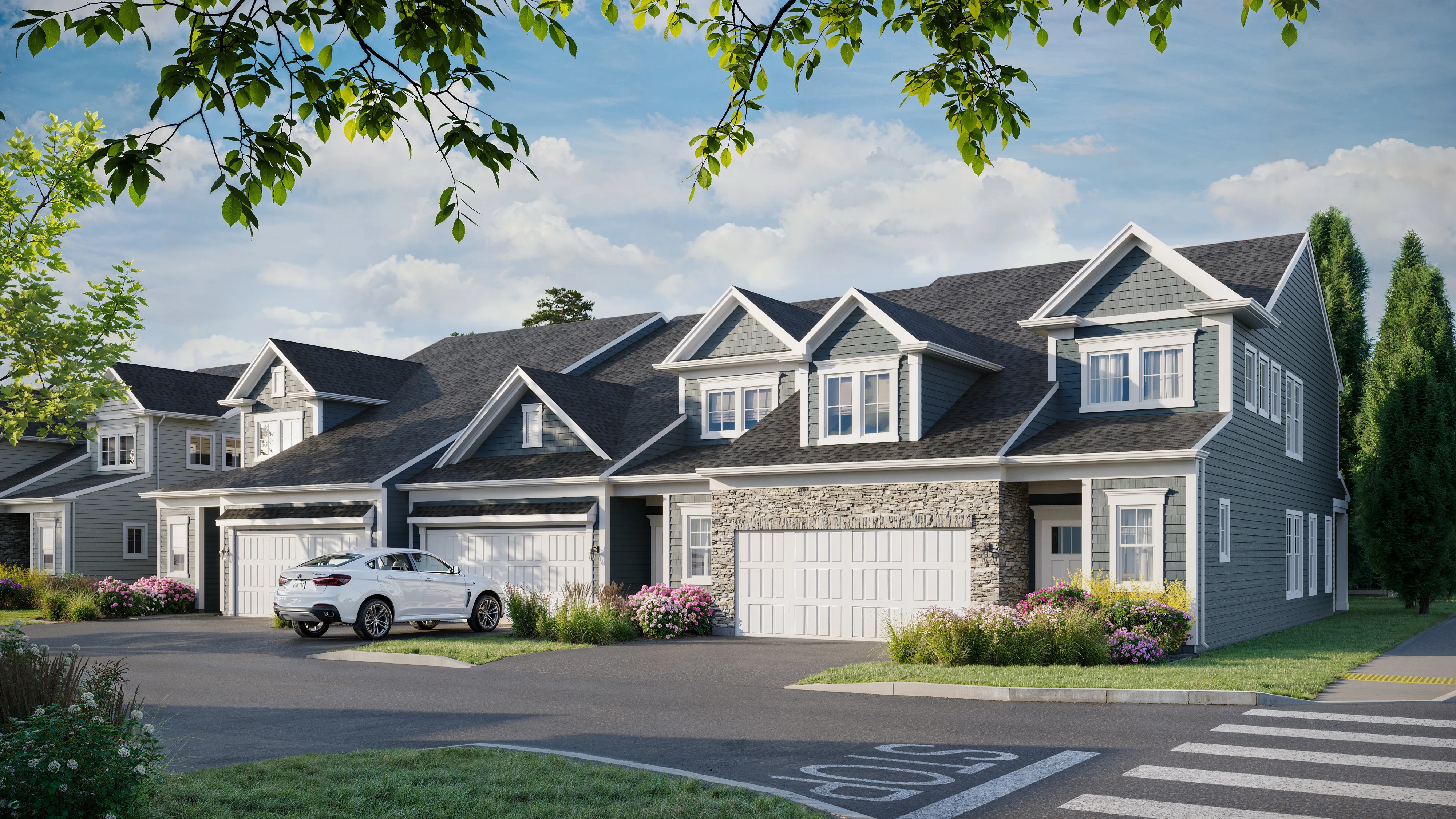
The term "real-time rendering" gets used loosely in the architectural visualization industry. Some studios use it to describe any rendering that's faster than traditional overnight render farms. Some use it specifically to mean interactive, navigable experiences in game engines. The distinction matters when you're evaluating what a studio is offering you, because the two technologies have different capabilities, limitations, and appropriate use cases.
Here's what real-time rendering actually is, how the leading tools compare, and — most importantly — which approach to use for different types of projects. This is a client-facing explanation, not a technical tutorial.
Traditional (Offline) Rendering vs. Real-Time Rendering
Traditional architectural rendering — the kind produced with V-Ray, Corona Renderer, or Arnold — works by computing the full physics of how light bounces through a scene. This process, called path tracing or ray tracing, calculates thousands of light paths per pixel to produce an image where the lighting is physically accurate. Because it computes every light interaction, it produces exceptional quality — especially in challenging conditions like interior spaces with complex reflections, caustic lighting effects, or highly detailed material surfaces.
The limitation is time. Depending on the scene's complexity, a single photorealistic image from V-Ray or Corona may take anywhere from a few minutes to several hours to render on a high-performance workstation, or much longer on standard hardware. This is why rendering studios use render farms — networks of computers working in parallel to process a single image or animation frame.
Real-time rendering works on a different principle. Instead of computing every light interaction from scratch, real-time engines precompute much of the lighting information and use GPU (graphics processor) power to display the scene at very high frame rates — typically 30–120 frames per second. This allows the user to navigate through the scene interactively, seeing changes to materials, lighting, and camera position immediately rather than waiting for a new render to complete.
The Major Real-Time Tools for Architecture
Unreal Engine 5. Epic Games' game engine, used for major video game titles, has become a dominant platform for high-end architectural visualization. Unreal Engine 5 features Lumen (a real-time global illumination system) and Nanite (a virtualized geometry system that handles extremely high polygon counts efficiently). For interactive architectural experiences, immersive VR walkthroughs, and high-quality real-time stills, Unreal Engine is the platform of choice for studios doing the highest-quality real-time work.
Twinmotion. Also owned by Epic Games and powered by Unreal Engine, Twinmotion is a simplified real-time visualization tool designed specifically for architects and design professionals. It offers a more accessible interface than Unreal Engine, direct BIM data import from Revit and other platforms, and one-click cloud publishing for sharing interactive scenes with clients. Twinmotion is widely used by architectural firms for in-house design development visualization where production accessibility matters more than maximum quality.
Enscape. A real-time rendering plugin for Revit, SketchUp, Rhino, ArchiCAD, and Vectorworks that operates directly within the design software. Enscape allows architects to navigate their design model in real-time during the design process, without exporting to a separate tool. It produces good-quality stills and walkthroughs, though with some quality limitations compared to Unreal Engine. Enscape's main advantage is workflow integration: the design model and the visualization model are the same file.
Lumion. A standalone real-time visualization tool popular among architects for speed and ease of use. Lumion can produce stills, animations, and 360 panoramas quickly, and its library of trees, people, and entourage objects accelerates scene population. Quality is good for typical commercial presentations, though Lumion's material and lighting system is less flexible than Unreal Engine or offline rendering at the premium tier.
Quality Comparison: Where the Gap Matters
For most standard architectural deliverables in 2026, the quality difference between well-executed real-time rendering and offline rendering is small enough that clients often can't tell which process was used. This is a significant change from five years ago, when real-time renders were immediately identifiable by their lighting limitations.
However, the quality gap still matters in specific scenarios:
| Scenario | Real-Time Quality | Offline Quality |
|---|---|---|
| Luxury marketing hero image | Good — often sufficient | Best — for showcase quality |
| Interactive 360 tour | Required — only real-time works | N/A for interactive |
| Design development review | Best — speed and iteration | Overkill for iteration |
| Complex reflective surfaces | Limitations in reflections | Best — ray-traced precision |
| Planning application render | Good for most requirements | Good |
| VR walkthrough | Required — real-time only | N/A for VR |
When to Request Real-Time vs. Traditional Rendering
The decision framework is simple: use real-time rendering when interactivity or speed of iteration is the priority; use offline rendering when maximum image quality is the priority for static deliverables.
Use real-time rendering for: interactive 360 virtual tours, VR walkthrough experiences, design development visualization where multiple options need to be evaluated quickly, client review sessions where you want to make live changes, and any deliverable where the client will navigate through the environment rather than view a single fixed image.
Use offline rendering for: luxury marketing hero images where the highest possible quality is required, large-format print deliverables, complex interior scenes with difficult lighting conditions (mirrors, pool water, marble surfaces), and any project where the final image quality is the primary measure of success.
In practice, many projects use both: real-time tools for design development and interactive client review, with selected final views rendered in V-Ray or Corona for marketing and print quality. This hybrid approach delivers the speed benefits of real-time at the design stage and the quality benefits of offline rendering for final marketing materials. Full pricing for both approaches is on our pricing page.
What Clients Should Ask Studios About Real-Time Rendering
If a studio tells you they produce renders using real-time rendering, ask:
- Which tool? (Unreal Engine, Twinmotion, Enscape, Lumion — each has different quality levels)
- Are the final stills rendered with path-tracing or rasterization? (Path-traced stills from Unreal Engine are higher quality than rasterized stills from the same tool)
- Can I see examples at the quality level planned for my project? (Not portfolio highlights — examples comparable to your project type and budget)
- If I want an interactive deliverable, what platform will it be delivered on and how do I share it with my team?
Understanding the answers to these questions protects you from receiving a real-time render when you expected offline-quality output, or vice versa. For a complete understanding of what to expect when working with a visualization studio, see our article on what to expect from a rendering studio. For context on the broader range of architectural visualization services, see our architectural visualization services overview.
Need Renders or an Interactive Experience?
Tell us what you need — we'll recommend the right approach and scope a package with pricing within 2 hours.
Request a Quote